
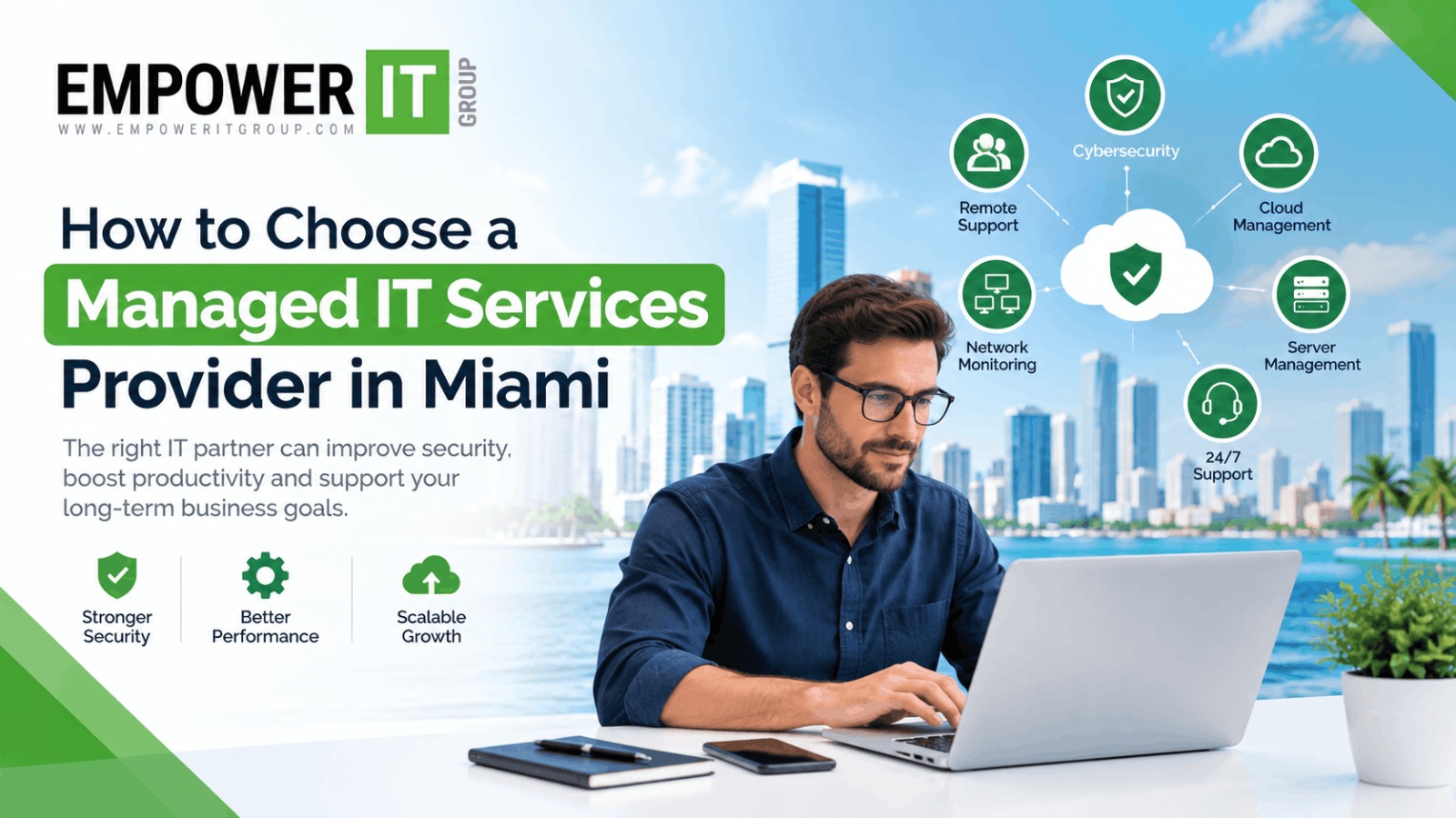
Choosing the right IT partner can have a direct impact on how reliably a business operates, protects its data, supports employees, and responds to technology problems. For Miami businesses, selecting a managed service provider is particularly important because modern organisations often depend on cloud applications, remote access, cybersecurity tools, business networks, and connected devices every day.
The challenge is that not every provider offers the same level of service.
Some companies primarily provide reactive technical support, while others offer proactive monitoring, cybersecurity, cloud management, backup, compliance assistance, strategic planning, and ongoing IT management.
If you are evaluating managed IT services Miami businesses can use to improve technology operations, it is important to look beyond pricing and compare the provider’s capabilities, service scope, security approach, response times, experience, and long-term fit.
This guide explains what to look for when choosing a Miami MSP, what questions to ask an IT support company Miami businesses can rely on, and how to evaluate a managed IT provider before signing a contract.
What Are Managed IT Services?
Managed IT services are ongoing technology management and support delivered by an external IT provider.
Instead of contacting an IT company only when something stops working, a managed service provider takes a proactive approach to maintaining and monitoring the technology environment.
Depending on the agreement, managed IT services may include:
- Help desk support
- Network monitoring
- Server management
- Endpoint management
- Cybersecurity
- Cloud management
- Microsoft 365 support
- Backup and disaster recovery
- Software and patch management
- IT consulting
- Vendor management
- IT documentation
- Compliance support
- Technology planning
The exact services vary between providers, so businesses should carefully review what is included in a managed IT agreement.
Why Choosing the Right Managed IT Provider Matters
IT problems can affect productivity, customer service, communication, revenue, and security.
A slow network can prevent employees from completing their work. An unavailable business application can interrupt operations. A compromised account can create security risks. Poorly managed backups can make recovery difficult after an incident.
A capable managed IT provider should therefore do more than resolve tickets.
The provider should understand the organisation’s technology environment and help maintain a stable, secure, and scalable IT foundation.
For businesses researching managed IT services Miami, the goal should be to find an IT partner that understands current requirements while also preparing the technology environment for future growth.
12 Factors to Consider When Choosing a Miami MSP
1. Evaluate the Provider’s Service Scope
Start by identifying exactly what the provider offers.
A managed IT agreement may include some or all of the following:
- Remote technical support
- On-site support
- Network management
- Cloud management
- Endpoint management
- Backup
- Cybersecurity
- Microsoft 365 administration
- Disaster recovery
- Strategic IT consulting
Do not assume that every service is included simply because a provider describes itself as an MSP.
Ask for a detailed service list and identify what is included in the monthly agreement and what is billed separately.
2. Look for Proactive IT Management
Traditional IT support is often reactive: something breaks, and the business contacts the provider.
Managed IT services should take a more proactive approach.
A strong MSP may continuously monitor systems, identify potential problems, apply updates, review alerts, and address issues before they become significant disruptions.
Ask potential providers:
- Do you continuously monitor systems?
- How are alerts handled?
- Do you perform regular maintenance?
- How do you identify recurring problems?
- Do you provide regular technology reviews?
Proactive management can help reduce avoidable disruptions and improve visibility into the IT environment.
3. Assess Cybersecurity Capabilities
Cybersecurity should be an important part of the evaluation process.
A modern business can face threats involving phishing, ransomware, stolen credentials, malware, vulnerable software, and compromised accounts.
Ask an IT support company Miami businesses are considering whether cybersecurity is included within its managed services.
Depending on business requirements, relevant services may include:
- Endpoint protection
- Multi-factor authentication
- Email security
- Firewall management
- Security monitoring
- Vulnerability management
- Security awareness training
- Identity and access management
- Incident response planning
- Backup and recovery
The goal is not simply to purchase the largest number of security tools. The provider should be able to explain how the controls work together and how security risks are monitored.
4. Review Help Desk and Support Availability
Employees need timely technical support when problems occur.
Ask about:
- Support hours
- Emergency support
- Remote support
- On-site support
- Response times
- Escalation procedures
- Support channels
- After-hours availability
A business that operates outside traditional working hours may require a different support model than a company operating only during standard business hours.
Make sure the service agreement clearly defines support expectations.
5. Examine the Service-Level Agreement
A Service-Level Agreement, or SLA, establishes expectations between the business and the provider.
An SLA may define:
- Response times
- Support availability
- Priority levels
- Escalation procedures
- Service responsibilities
- Availability commitments
For example, a critical outage may have a different response target from a routine software request.
Before selecting a managed IT provider, read the SLA carefully rather than relying solely on verbal commitments.
6. Consider Industry Experience
Different industries have different technology and security requirements.
A medical organisation may need to consider sensitive information and regulatory obligations. A professional services company may depend heavily on cloud applications and secure client communications. A growing company may need scalable identity, device, and cloud management.
Ask the MSP whether it has experience supporting businesses with similar operational requirements.
Industry experience can help a provider understand common workflows, technology challenges, and security considerations.
7. Check Cloud and Microsoft 365 Expertise
Many businesses have moved significant portions of their technology environment to cloud platforms.
Your MSP should understand cloud administration and security rather than treating cloud services as an afterthought.
Ask about experience with:
- Microsoft 365
- Cloud storage
- Identity management
- Cloud backups
- Email administration
- User provisioning
- Access control
- Cloud security
If your business depends heavily on cloud applications, this capability should be part of your provider evaluation.
8. Understand Backup and Disaster Recovery
A backup is only useful if the organisation can successfully recover its data and systems when necessary.
Ask potential providers:
- What systems are backed up?
- How frequently are backups performed?
- Where are backups stored?
- Are backups protected against unauthorised access?
- Are recovery tests performed?
- How quickly can critical systems be restored?
A good disaster recovery strategy should be aligned with business priorities.
Critical systems may require faster recovery than non-essential applications.
9. Evaluate Scalability
Your IT requirements today may not be the same a year from now.
Your organisation may add:
- Employees
- Devices
- Locations
- Cloud applications
- Servers
- Business systems
Ask how the provider handles growth.
A scalable Miami MSP should have a clear process for onboarding new employees, managing additional devices, supporting new locations, and adapting services as the organisation changes.
10. Review Pricing and Contract Terms
Price is important, but the lowest monthly fee does not necessarily represent the lowest overall technology cost.
Compare:
- Monthly service fees
- Included users
- Included devices
- Support hours
- Cybersecurity services
- Backup
- On-site support
- Project charges
- Licensing
- After-hours support
- Contract length
- Cancellation terms
Ask the provider to identify potential additional charges.
This prevents unexpected expenses after the agreement begins.
11. Ask About Technology Strategy
An MSP should ideally understand where the business wants to go rather than focusing only on current technical problems.
Ask:
- How do you conduct IT planning?
- Do you provide technology roadmaps?
- How often do you review our environment?
- Can you identify outdated infrastructure?
- How do you prioritise technology investments?
- Do you provide recommendations based on business objectives?
Strategic IT planning can help align technology decisions with operational goals.
12. Evaluate Communication and Reporting
Technology management requires clear communication.
Ask what reporting is provided.
A managed IT provider may offer reports covering:
- Support tickets
- Recurring problems
- Security events
- Device status
- Backup status
- Network performance
- Patch status
- Recommendations
Regular reporting can help business leaders understand how their IT environment is performing.
Questions to Ask Before Hiring a Managed IT Services Provider
Before signing an agreement, prepare a list of questions.
What services are included?
Request a complete breakdown of the managed service package.
What services cost extra?
Clarify project work, hardware, licensing, emergency support, and on-site services.
What are your response times?
Ask how quickly critical, high-priority, and routine requests are handled.
Do you provide cybersecurity?
Determine whether endpoint security, email security, monitoring, MFA, vulnerability management, and other security services are included.
How do you manage backups?
Understand the backup frequency, retention, security, testing, and recovery process.
Do you provide strategic IT planning?
Find out whether the provider conducts regular reviews and creates recommendations for future technology investments.
How do you handle new employees?
Ask how user accounts, devices, applications, permissions, and onboarding are managed.
How do you handle employee departures?
Offboarding should include access removal, account management, device recovery, and appropriate security procedures.
Do you provide on-site support in Miami?
If your organisation needs physical assistance, confirm the provider’s availability and geographic coverage.
Red Flags When Choosing an IT Support Company in Miami
Some warning signs deserve additional attention.
Unclear Pricing
If a provider cannot explain what is included in its monthly agreement, it may be difficult to forecast your IT costs.
Reactive-Only Support
A provider focused exclusively on fixing problems after they happen may not provide the proactive management expected from a managed service relationship.
Weak Security Approach
If cybersecurity is treated as an optional add-on without understanding the business’s risk profile, ask for more detail.
No Documented SLA
Without clearly defined response expectations, businesses may have difficulty determining what level of service they should expect.
Poor Communication
Technology issues often require coordination between employees, management, vendors, and the IT provider. Consistent communication is essential.
No Long-Term Planning
If the provider only discusses immediate technical problems and never considers future infrastructure, security, or growth, ask how strategic IT planning is handled.
Managed IT Services vs. Break-Fix IT Support
Understanding the difference between managed IT services and traditional break-fix support can help businesses determine which model fits their needs.
| Managed IT Services | Break-Fix IT Support |
| Proactive monitoring | Reactive troubleshooting |
| Ongoing management | Support when problems occur |
| Predictable service model | Variable costs |
| Regular maintenance | Maintenance often follows an issue |
| Security management can be integrated | Security may be separate |
| Long-term IT planning | Primarily focused on immediate issues |
Businesses that depend heavily on technology may prefer a proactive approach because IT becomes an ongoing managed function rather than an emergency service.
How to Compare Managed IT Providers
A simple evaluation framework can make provider comparisons easier.
Consider scoring each provider internally against criteria such as:
- Service coverage
- Cybersecurity capabilities
- Support availability
- SLA and response times
- Cloud expertise
- Backup and disaster recovery
- Industry experience
- Scalability
- Reporting
- Pricing transparency
- Contract flexibility
- Strategic IT planning
The objective is to understand which provider’s services align with the organisation’s requirements.
Why Miami Businesses Should Think Beyond IT Support
Modern IT management is increasingly connected to business continuity, cybersecurity, employee productivity, customer experience, and operational efficiency.
An effective managed IT services Miami strategy should therefore consider the entire technology environment.
Instead of asking only whether an MSP can fix computers, businesses should consider whether the provider can help manage the broader technology ecosystem.
That can include users, devices, networks, cloud platforms, security controls, backups, applications, and technology planning.
Choosing Managed IT Services in Miami With Empower IT Group
Selecting a managed IT provider is an important operational decision. The right provider should offer transparent services, proactive management, security awareness, responsive support, and a clear understanding of the business’s technology requirements.
Empower IT Group provides managed IT services designed to help businesses manage their technology environment through ongoing IT support, proactive management, cybersecurity, and technology guidance.
Businesses evaluating a Miami MSP can begin by assessing their current infrastructure, identifying recurring IT challenges, reviewing security requirements, and determining what level of ongoing support they need.
From there, a managed IT strategy can be structured around the organisation’s users, devices, applications, infrastructure, security requirements, and growth plans.
Frequently Asked Questions
What should I look for in managed IT services in Miami?
Look for comprehensive service coverage, proactive monitoring, cybersecurity capabilities, responsive support, clear SLAs, backup and disaster recovery, cloud expertise, transparent pricing, scalability, and regular IT reporting.
How do I choose a Miami MSP?
Start by documenting your IT requirements and then compare providers based on service scope, cybersecurity, response times, industry experience, support availability, pricing, scalability, and strategic IT capabilities.
What does a managed IT provider typically do?
A managed IT provider can manage and support networks, endpoints, cloud services, servers, applications, cybersecurity, backups, users, and other components of a business’s technology environment.
How much do managed IT services cost in Miami?
Pricing varies based on the number of users and devices, infrastructure complexity, cybersecurity requirements, support level, cloud environment, locations, and services included in the agreement. Businesses should request a customised proposal.
Is cybersecurity included with managed IT services?
It depends on the provider and service package. Some agreements include security monitoring and endpoint protection, while advanced cybersecurity services may require additional services or fees.
Does an MSP provide on-site IT support?
Some providers offer on-site support in addition to remote assistance. Businesses that require physical IT support should confirm the provider’s service area and any associated charges.
Can a managed IT provider support remote employees?
Yes. Many managed IT providers support remote employees through cloud administration, endpoint management, identity controls, secure remote access, collaboration platforms, and help desk services.
How long should a managed IT contract be?
Contract terms vary by provider. Businesses should review the service commitment, renewal terms, cancellation conditions, pricing changes, and included services before signing.
What is the difference between an MSP and an IT support company?
An MSP generally provides ongoing, proactive management of a business’s IT environment, while an IT support company may focus primarily on troubleshooting and technical assistance. However, many providers offer both models.
Why is proactive IT management important?
Proactive management can help identify technology problems, maintenance requirements, and security issues before they cause larger disruptions. It also gives businesses greater visibility into their IT environment.
Conclusion
Choosing a managed IT services Miami provider requires more than comparing monthly prices. Businesses should evaluate the provider’s technical capabilities, cybersecurity approach, support model, response times, cloud expertise, backup strategy, scalability, communication, and long-term IT planning.
A reliable Miami MSP should be capable of supporting today’s technology requirements while helping the organisation prepare for future changes.
Before selecting an IT support company Miami businesses can depend on, document your requirements, compare service agreements carefully, ask detailed questions, and confirm exactly what is included.
With the right managed IT provider, businesses can establish a more structured approach to technology management, reduce uncertainty around IT support, and create a stronger foundation for secure and sustainable operations.