
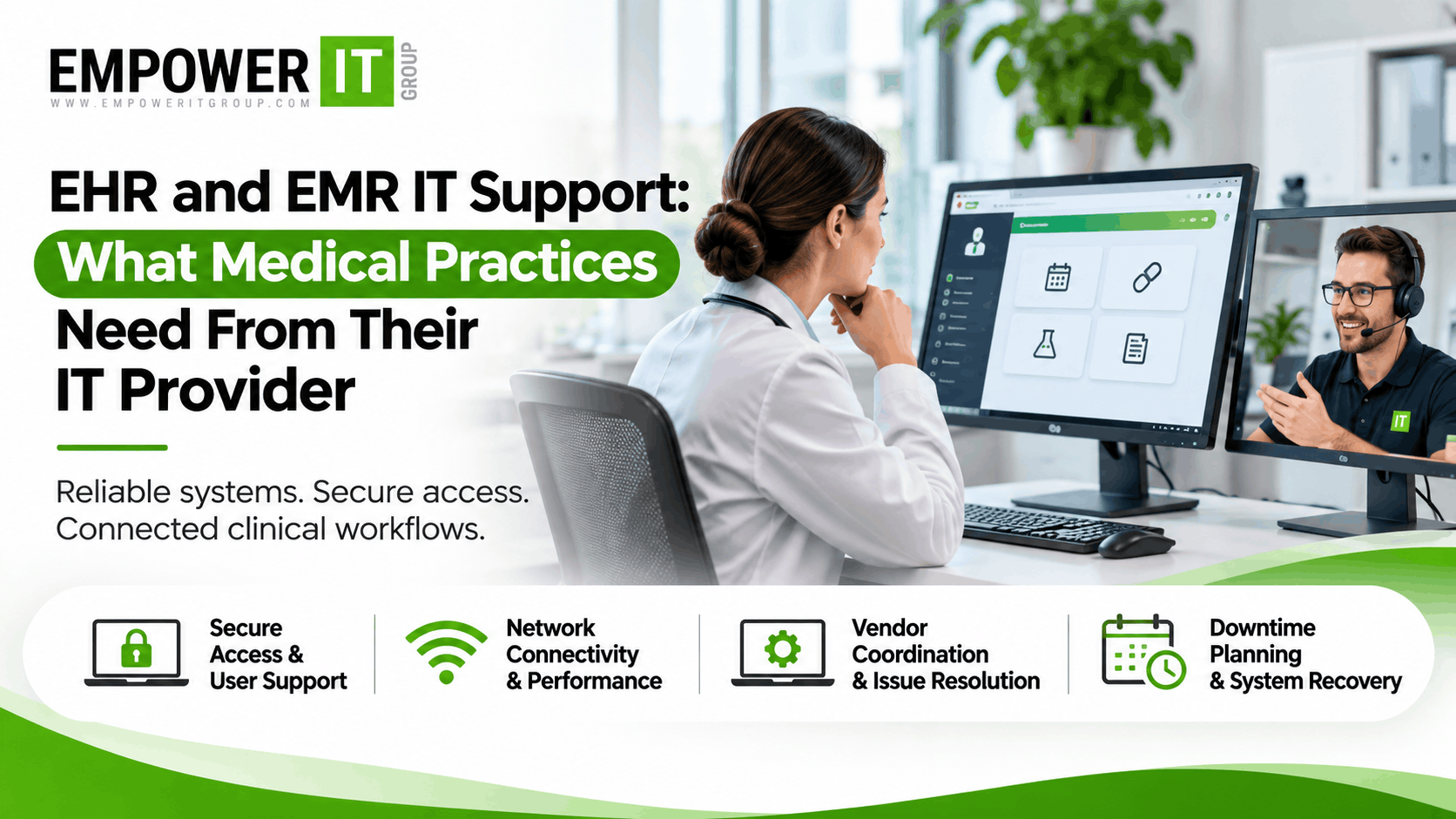
Electronic health record (EHR) and electronic medical record (EMR) systems are central to modern medical practice operations. They help healthcare professionals document visits, review patient histories, manage prescriptions, coordinate care and maintain clinical records.
When these systems become slow, inaccessible or difficult to use, the impact can extend across the practice. Clinicians may face delays accessing patient information, administrative teams may struggle with scheduling and billing, and staff may need to rely on downtime procedures until systems are restored.
For medical practices in Miami and across South Florida, dependable EHR IT support is an important part of maintaining reliable clinical technology. The right IT provider should understand how EHR and EMR platforms depend on networks, workstations, identity management, cloud services and cybersecurity controls.
This guide explains what EHR and EMR IT support involves, which services medical practices should expect and how to evaluate a healthcare IT provider.
What Is EHR and EMR IT Support?
EHR and EMR IT support involves maintaining and troubleshooting the technology that enables medical practices to use electronic patient record systems.
An EMR generally refers to a digital medical record used within a particular practice or healthcare setting. An EHR is designed to support a broader, more connected view of a patient’s health information and may facilitate information sharing across healthcare settings.
In practice, the terms are sometimes used interchangeably. The support requirements depend more on the specific platform, deployment model and clinical workflows than on the label alone.
EHR and EMR IT support may include:
- Troubleshooting workstation and network connectivity.
- Supporting user access and authentication.
- Maintaining compatible operating systems and devices.
- Coordinating technical issues with software vendors.
- Supporting secure remote access.
- Monitoring infrastructure performance.
- Managing updates and technical changes.
- Helping prepare for outages and system recovery.
The scope should be clearly defined because an IT provider may support the infrastructure around an EHR without directly managing the application itself.
Why Medical Practices Need Reliable EHR and EMR Support
Maintaining Access to Patient Information
Clinicians rely on electronic records to review patient histories, document encounters and support clinical decisions. When access is disrupted, staff may need to use approved downtime procedures until systems are available again.
A dependable support process helps identify access issues and restore the technology needed for normal operations.
Supporting Clinical and Administrative Workflows
EHR platforms may connect with scheduling, billing, prescription management, laboratory systems and other applications. A technical issue in one component can affect multiple workflows.
An IT provider should understand these dependencies and coordinate troubleshooting when an issue extends beyond a single workstation.
Protecting Sensitive Patient Information
EHR and EMR systems contain sensitive health information. Appropriate access controls, secure configurations, endpoint protection and network security help reduce the risk of unauthorised access.
IT support should be aligned with the medical practice’s security policies and applicable HIPAA requirements.
Reducing Avoidable Downtime
Proactive maintenance, monitoring and documented escalation procedures can help reduce certain disruptions and support faster restoration when problems occur.
No provider can guarantee that an EHR will never experience downtime. Medical practices should also maintain contingency procedures for outages affecting clinical systems.
Also Read More – Healthcare Cybersecurity Services in Miami: What Should a Medical Practice Expect?
What EHR IT Support Services Should Include
The specific services depend on the practice’s technology environment and agreement with its IT provider. The following areas are important to evaluate.
1. Workstation and Device Support
EHR applications rely on compatible computers, operating systems, browsers, peripherals and other devices.
Support may include:
- Configuring and maintaining supported workstations.
- Troubleshooting performance and compatibility issues.
- Managing operating system and application updates.
- Supporting printers, scanners and other compatible peripherals.
- Maintaining device inventory and lifecycle records.
- Helping secure devices that access patient information.
Medical practices should confirm which devices are covered and how the provider handles unsupported or end-of-life equipment.
2. Network and Connectivity Troubleshooting
An EHR may be hosted locally, in a private environment or through a cloud service. In each case, network performance and connectivity can affect access.
Healthcare IT services may include monitoring and troubleshooting:
- Internet connectivity.
- Internal network performance.
- Wireless access.
- Router, switch and firewall configurations.
- Secure remote connections.
- Network paths to hosted applications.
If multiple users experience the same EHR problem, the IT provider should investigate whether the issue relates to shared infrastructure rather than treating each workstation as an isolated incident.
3. User Access and Authentication
Medical practices need a controlled process for creating, changing and disabling EHR access.
IT support may help configure user accounts, permissions and authentication methods in coordination with the practice’s policies and the software vendor’s capabilities.
Important practices include:
- Using individual accounts.
- Assigning permissions based on job responsibilities.
- Applying multi-factor authentication where appropriate.
- Reviewing access when roles change.
- Disabling accounts promptly when access is no longer needed.
- Maintaining appropriate logs and audit capabilities.
Access decisions should remain aligned with the practice’s privacy and security responsibilities.
4. EHR Vendor Coordination
Some EHR issues require assistance from the software vendor. The IT provider may help gather technical information, identify whether the issue is related to local infrastructure and coordinate troubleshooting.
For example, if users cannot access a hosted EHR, the provider may investigate local connectivity and authentication before escalating the issue to the application vendor.
The agreement should clarify whether vendor coordination is included, which vendor relationships are supported and who is responsible for application-specific configuration.
5. Software Updates and Change Management
Updates can improve security and functionality, but poorly planned changes may disrupt clinical workflows.
An IT provider should help manage updates to supported operating systems, browsers, endpoints and related infrastructure. Changes affecting the EHR itself should be coordinated with the software vendor and the practice.
A sound process may include:
- Reviewing update requirements.
- Checking compatibility.
- Scheduling changes to reduce disruption.
- Testing where appropriate.
- Documenting changes.
- Establishing a rollback or recovery approach when feasible.
Medical practices should avoid making unsupported changes to clinical applications or connected medical devices.
6. Cybersecurity and HIPAA-Related Technical Support
EHR systems require security controls that protect patient information and help maintain system integrity and availability.
Depending on the service agreement, IT support may include endpoint protection, firewall management, patching, access controls, security monitoring and assistance with incident response.
The provider should explain which security services are included and how incidents involving EHR access or patient information are escalated.
Managed IT services can support a medical practice’s HIPAA security programme, but they do not independently guarantee compliance. The practice remains responsible for its applicable obligations and oversight.
7. Backup, Recovery and Downtime Planning
Medical practices should understand how EHR data and supporting systems are protected and restored.
Depending on the platform and agreement, backup and recovery responsibilities may belong to the EHR vendor, the IT provider or the healthcare organisation.
Clarify:
- Which data and systems are backed up.
- Who manages the backups.
- How often backups occur.
- How restoration is tested.
- Which recovery targets apply.
- Who coordinates recovery during an outage.
A practice should also maintain a documented downtime process for clinical and administrative operations. Backup arrangements do not replace the need for staff procedures during an outage.
Common EHR and EMR IT Problems
Medical practices may encounter a range of technical issues, including:
| Issue | Possible technical causes | Support considerations |
| EHR application is slow | Network congestion, device performance, application or hosting issues | Identify whether the issue affects one user or multiple users |
| Users cannot log in | Account problems, authentication errors, connectivity issues | Check access, authentication and vendor status |
| EHR is unavailable | Internet outage, hosting disruption, infrastructure failure | Follow escalation and downtime procedures |
| Records or screens fail to load | Application errors, browser compatibility, connectivity | Coordinate with the EHR vendor where required |
| Printing or scanning fails | Driver, device, configuration or application integration issues | Check supported peripherals and configurations |
| Remote access fails | VPN, identity, network or device configuration | Review secure remote access and authentication |
| Updates disrupt workflows | Compatibility or change-management issues | Coordinate changes and verify supported configurations |
These examples illustrate why EHR support often requires coordination among the medical practice, IT provider and software vendor.
EHR IT Support vs. EHR Vendor Support
A medical practice may receive support from both its managed IT provider and the EHR software vendor. Their responsibilities are not necessarily the same.
| Managed IT provider | EHR software vendor |
| Supports workstations, networks and connectivity | Supports the EHR application and vendor-controlled features |
| Manages covered infrastructure and endpoint security | Manages application-specific defects and platform updates |
| Troubleshoots access and local technical issues | Investigates application errors and product functionality |
| Coordinates technical incidents across systems | Provides product-specific guidance and escalation |
| Supports backup and recovery where included in the agreement | May provide hosting, application backup or recovery depending on the product |
Before selecting a provider, medical practices should establish who handles each category of issue and how urgent incidents are coordinated.
How to Choose an EHR IT Support Provider in Miami
Medical practices evaluating EHR IT support should consider more than general technical experience.
Healthcare Technology Experience
Ask whether the provider understands clinical workflows, EHR dependencies, patient data protection and the operational consequences of system outages.
Clear Support Scope
Confirm which systems, devices, locations and applications are covered. Determine whether the provider supports the EHR application itself or only the surrounding infrastructure.
Response and Escalation Procedures
Ask how incidents are prioritised, what response targets apply and how issues are escalated to software vendors.
Security Capabilities
Review endpoint protection, access management, patching, monitoring and incident response responsibilities. Clarify whether security monitoring is continuous or limited to specified hours.
Backup and Recovery Responsibilities
Confirm which party manages backups, how restoration is tested and what recovery commitments apply.
Local Support Availability
For practices in Miami and South Florida, clarify whether on-site assistance is available, when it can be provided and whether additional fees apply.
Documentation and Reporting
A reliable provider should maintain appropriate technical documentation and communicate recurring problems, incidents and recommended improvements.
Questions to Ask Before Signing an EHR IT Support Agreement
Before engaging a provider, medical practices should ask:
- Which EHR and EMR platforms do you support?
- Do you support the application itself or only the underlying IT infrastructure?
- Which workstations, devices and network components are included?
- What support hours and response targets apply?
- How are urgent EHR outages escalated?
- Who coordinates with the EHR software vendor?
- Which cybersecurity services are included?
- How are backups and recovery responsibilities divided?
- Is a business associate agreement required for this relationship?
- Which projects, on-site visits or additional services incur separate charges?
Written answers help establish clear expectations and reduce confusion during technical incidents.
Read More – What Does an MSP Do for a Medical Practice? Complete Healthcare IT Guide
How Empower IT Group Can Support Medical Practices
Empower IT Group can be considered by healthcare organisations in Miami and South Florida reviewing their EHR-related IT support needs.
A useful starting point is to identify the EHR platform in use, the devices and network infrastructure it depends on, the most common technical problems and the practice’s support and recovery requirements.
The agreed service scope should specify which systems Empower IT Group supports, how EHR-related incidents are handled, what security services are included and when the software vendor must be involved.
Medical practices should confirm the provider’s specific capabilities, service hours and contractual commitments before selecting an arrangement.
Conclusion
EHR and EMR systems are essential to modern medical practice operations, but their reliability depends on more than the software itself. Workstations, networks, user access, cybersecurity, cloud services and vendor coordination all affect how well clinical systems perform.
For medical practices in Miami and South Florida, effective EHR IT support should provide clear technical responsibilities, timely troubleshooting, appropriate security controls and practical recovery planning.
By understanding what an IT provider supports—and what remains the responsibility of the EHR vendor or medical practice—healthcare organisations can make more informed decisions and build a support model that better fits their clinical and operational needs.
Frequently Asked Questions
1. What is EHR IT support?
EHR IT support helps maintain the technology needed to access and use electronic health record systems. It may include workstation support, network troubleshooting, user access management, vendor coordination, security controls and recovery planning.
2. What is the difference between EHR and EMR support?
EHR and EMR support often involve similar technical tasks. The specific requirements depend on the application, how it is deployed and whether it exchanges information with other healthcare systems.
3. Does an IT provider directly support every EHR application?
No. Some providers support only the infrastructure surrounding the application, while the EHR vendor handles application-specific issues. The responsibilities should be documented in the service agreement.
4. Can managed IT services reduce EHR downtime?
Proactive monitoring, preventive maintenance, network support and recovery planning may help reduce certain disruptions and improve restoration readiness. They cannot guarantee uninterrupted availability.
5. Does EHR IT support include HIPAA compliance?
IT support may help implement technical safeguards and maintain systems that support HIPAA security requirements. It does not guarantee compliance or replace the practice’s own legal and operational responsibilities.
6. Should EHR systems be included in a medical practice’s backup plan?
Yes, the practice should understand how its EHR data and supporting systems are protected and restored. Backup responsibilities may be divided between the EHR vendor, IT provider and practice.
7. Is on-site EHR support necessary?
Not every issue requires an on-site visit. Remote support may resolve many software, access and configuration problems, while hardware failures or certain infrastructure issues may require local assistance.
8. What should a medical practice do during an EHR outage?
Follow its documented downtime procedures, notify the appropriate internal contacts and report the incident through the established IT support channel. The practice should also follow the EHR vendor’s guidance where applicable.
9. How can a medical practice improve EHR performance?
Review workstation health, network connectivity, application requirements, user access and recurring performance issues. The IT provider and EHR vendor may need to collaborate to identify the cause.
10. What should Miami medical practices look for in an EHR IT provider?
Look for healthcare technology experience, clear service responsibilities, appropriate security capabilities, defined escalation procedures, backup and recovery planning, and support arrangements suited to the practice’s operating hours.