

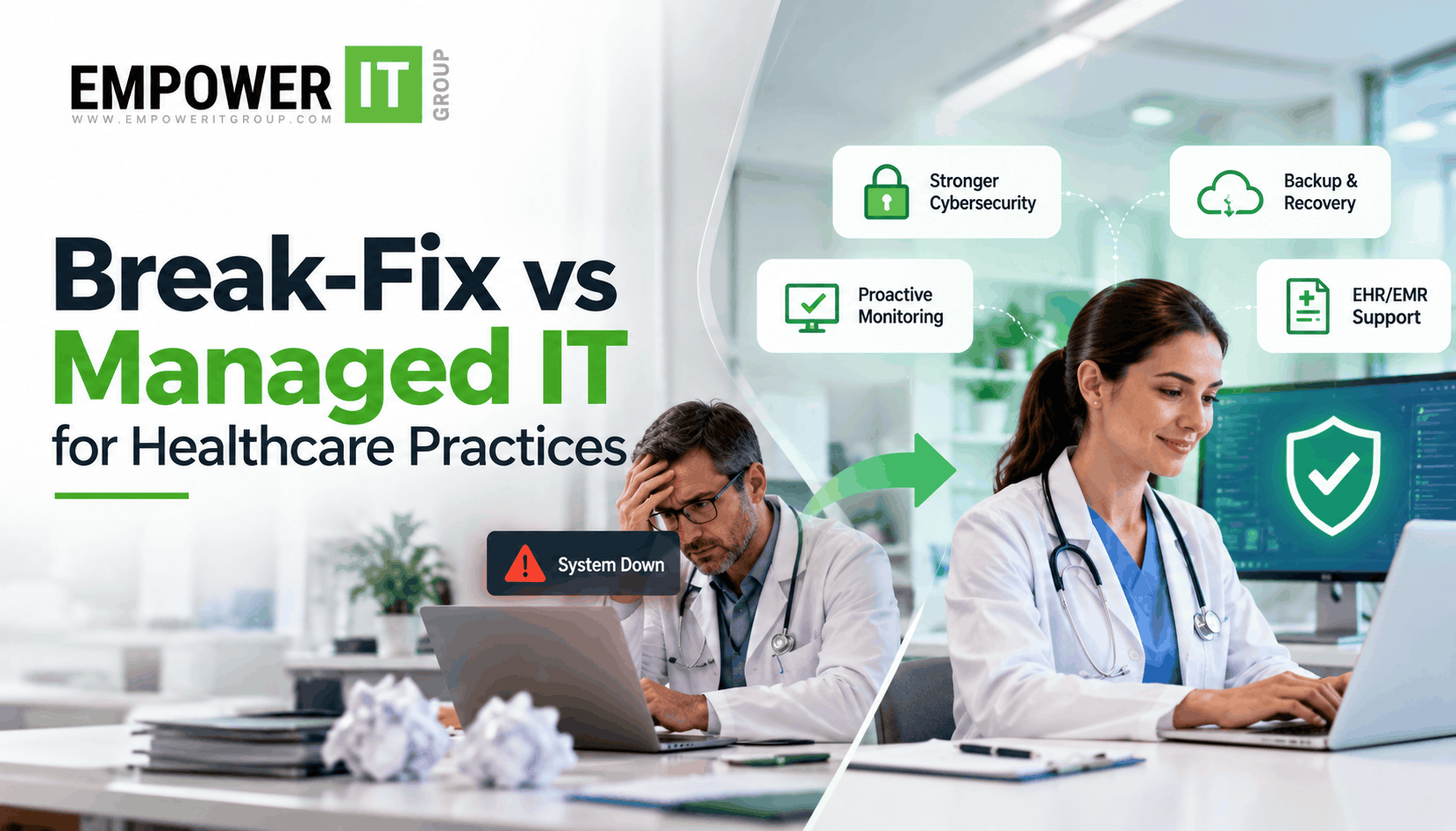
Medical practices depend on technology to manage patient records, coordinate appointments, communicate with patients, process billing, and support clinical workflows. When computers, networks, or healthcare applications stop working, even a small technical problem can disrupt several parts of the practice.
For smaller medical practices, break-fix IT support may initially seem like a practical solution. Instead of paying for ongoing IT management, the practice contacts a technician when something goes wrong and pays for the repair. However, as the practice grows, this reactive approach can become increasingly difficult to manage.
Recurring technical issues, unexpected repair costs, cybersecurity concerns, and limited access to specialist support can affect productivity and operational reliability.
Understanding break fix vs managed IT healthcare helps medical practices decide whether their current support model still meets their needs. Managed IT services for healthcare provide a more structured approach, with ongoing technical support and proactive management of agreed systems and services.
For medical practices in Miami and South Florida, recognising the warning signs early can help prevent avoidable disruptions and create a more dependable technology environment.
This guide explains how break-fix support works, when it may no longer be suitable, and how healthcare MSP services can help medical practices manage their growing IT requirements.
What Is Break-Fix IT Support for Medical Practices?
Break-fix IT support is a reactive service model in which a medical practice contacts an IT technician after a technical problem occurs.
The technician diagnoses the issue, performs the required repair, and charges according to the agreed pricing structure. Depending on the arrangement, the practice may pay an hourly rate, a per-incident fee, or additional charges for emergency support.
This model can work when a practice has a limited number of devices, relatively simple technology requirements, and few technical incidents.
For example, a small practice that occasionally needs help with a computer or printer may find that paying for individual repairs is sufficient.
However, break-fix support does not automatically include continuous system monitoring, scheduled maintenance, ongoing cybersecurity management, backup monitoring, or long-term technology planning. These services may need to be arranged separately.
As a medical practice becomes more dependent on digital systems, the absence of ongoing IT management can create operational and security challenges.
What Are Managed IT Services for Healthcare?
Managed IT services provide ongoing technology support under an agreed service arrangement, commonly with a recurring monthly fee.
Depending on the contract, services may include help desk support, network monitoring, device management, software patching, cybersecurity controls, backup monitoring, and technology planning.
Instead of waiting for employees to report every problem, a managed service provider can monitor specified systems, perform preventive maintenance, and investigate potential issues before they cause more significant disruption.
For medical practices, managed IT services may also help coordinate support for EHR and EMR systems, manage employee access, and establish processes for recovering from technology failures.
The objective is not to eliminate every technical issue. It is to manage technology more consistently, reduce avoidable risks, and provide a clear structure for handling incidents.
Break-Fix vs Managed IT Healthcare: Key Differences
The main difference between break-fix and managed IT services is the approach to ongoing technology management.
| Factor | Break-Fix IT Support | Managed IT Services for Healthcare |
| Support model | Primarily reactive | Ongoing support with proactive activities where included |
| Pricing | Often charged per incident or labour hour | Usually a recurring fee for defined services |
| System monitoring | May require a separate arrangement | Often included in the agreed service scope |
| Preventive maintenance | Requested or contracted separately | May include scheduled maintenance and patching |
| Cybersecurity | May be managed separately | Can include ongoing security management |
| EHR and EMR support | Depends on the repair agreement | Can include connectivity, access, and infrastructure support |
| Backup management | May be arranged separately | Can include backup monitoring and recovery planning |
| Technology planning | Usually focused on immediate problems | May include regular reviews and upgrade recommendations |
| Cost predictability | Can fluctuate with incident volume | Recurring service fees can make budgeting more predictable |
| Scalability | Requires coordination as needs expand | Can scale according to the agreed service scope |
Neither model is automatically appropriate for every practice. The decision depends on how the practice uses technology, the consequences of downtime, its security requirements, and the capabilities of its internal team.
9 Signs Your Medical Practice Has Outgrown Break-Fix IT Support
1. Technical Problems Are Becoming More Frequent
One of the clearest warning signs is an increase in recurring IT issues.
Employees may regularly experience slow computers, unreliable internet connections, application errors, login problems, printing failures, or difficulties accessing patient records.
Although each problem may appear minor, repeated incidents can consume significant staff time. Employees may have to stop their work, contact support, wait for repairs, and repeat tasks once systems become available again.
Break-fix support can resolve individual incidents, but recurring problems may indicate underlying issues that require a broader review.
Managed IT services can help identify patterns, monitor supported systems, manage updates, and address root causes where possible.
If employees are spending more time reporting technical issues than completing their work, it may be time to evaluate a more proactive support model.
2. IT Downtime Is Affecting Patient Workflows
A technical failure becomes more serious when it affects clinical or administrative operations.
For example, a network interruption may prevent staff from accessing an EHR system. An email outage may delay communication, while a workstation failure may prevent an employee from completing routine documentation or billing tasks.
When the practice depends on technology throughout the day, even short disruptions can create delays and increase pressure on employees.
Break-fix support generally begins after a problem is reported. The total disruption depends on the severity of the issue, support availability, and the time needed to identify and resolve the cause.
Managed IT services may include monitoring, preventive maintenance, and defined incident escalation procedures. These measures can help identify certain problems earlier and improve response readiness.
Medical practices should also maintain appropriate contingency procedures for situations in which essential systems become unavailable.
3. Your IT Costs Are Becoming Difficult to Predict
Break-fix support may seem inexpensive during months when few problems occur. However, several incidents in a short period can create unexpected expenses.
Costs may include emergency labour, repeated troubleshooting, hardware repairs, replacement equipment, and additional services needed to restore systems.
These direct costs do not include employee time lost during technical disruptions or the administrative effort required to coordinate repairs.
Managed IT services usually involve a recurring fee for an agreed scope of work. This can make routine support expenses easier to forecast, although hardware, licences, projects, and out-of-scope work may still incur additional charges.
Before switching, compare the total cost of your existing arrangement with a managed IT proposal. Include repair fees, maintenance, cybersecurity, backup services, internal staff time, and any additional charges.
The objective is to understand the value and coverage of each model rather than choosing solely on the lowest monthly price.
4. Cybersecurity Responsibilities Are Difficult to Manage
Medical practices handle sensitive information and rely on connected systems, making cybersecurity an important part of IT management.
Risks can include phishing emails, stolen credentials, unpatched software, insecure remote access, malicious software, and inappropriate access to patient information.
A break-fix arrangement may not provide continuous oversight of these risks unless security services are separately included.
Managed IT services can help implement and maintain controls such as:
- Endpoint protection and security monitoring.
- Software patching and vulnerability management.
- Multi-factor authentication implementation.
- User account and access management.
- Network security and controlled remote access.
- Backup monitoring and recovery planning.
- Security awareness and incident escalation procedures.
The exact services vary by provider and contract. Medical practices should confirm which controls are included and which require additional services.
For practices subject to HIPAA, technology safeguards should form part of a broader compliance and risk-management programme. An IT provider can support relevant technical measures, but its services alone do not guarantee HIPAA compliance.
5. Your Practice Has Added More Employees, Devices, or Locations
A technology setup that worked for a small team may become difficult to manage as the practice grows.
Additional employees may need computers, email accounts, EHR access, approved applications, and appropriate permissions. New consultation rooms or locations may introduce additional network equipment, wireless connectivity, and support requirements.
Without consistent processes, devices may be configured differently, user permissions may become outdated, and new employees may experience delays before they can work effectively.
Managed IT services can help standardise device configurations, manage user accounts, coordinate onboarding and offboarding, and maintain documentation.
If your practice is expanding but IT administration remains informal, a structured support arrangement may help reduce complexity.
6. Your Backup and Recovery Arrangements Are Unclear
A medical practice needs to understand how it would recover essential information after accidental deletion, hardware failure, ransomware, or another technology disruption.
Having backups does not automatically mean the practice can restore its systems successfully. Backups may fail, exclude important data, or depend on credentials and infrastructure that are unavailable during an incident.
Break-fix support may help repair systems after a failure, but backup management and recovery testing are not necessarily included.
Managed IT services may include backup monitoring, restoration testing, and recovery planning, depending on the agreement.
Your practice should know which systems are backed up, how frequently backups run, who can access backup copies, and how recovery procedures are tested.
A documented recovery plan should also identify the people responsible for restoring systems and the temporary procedures to follow while essential technology is unavailable.
7. Employees Are Acting as the Unofficial IT Department
When formal support is limited, employees often end up troubleshooting their own technical problems.
A practice manager may spend time resetting accounts, installing software, resolving connectivity issues, coordinating with application vendors, or researching hardware failures.
These tasks can take time away from scheduling, administration, patient communication, and other responsibilities.
Outsourced medical IT support can provide a defined process for handling technical requests and coordinating maintenance.
This does not eliminate the need for internal oversight. Practice leadership still needs to approve decisions, manage priorities, and understand the provider’s performance.
However, transferring agreed technical responsibilities to an IT provider can reduce the burden on employees who do not have dedicated IT roles.
8. EHR and EMR Issues Keep Returning
Electronic health record and electronic medical record systems support important clinical and administrative workflows. When access or performance problems recur, the issue may involve more than a single workstation.
Potential causes include network limitations, device configuration, software compatibility, authentication problems, or dependencies involving other applications.
A break-fix technician may resolve the immediate issue without addressing a recurring infrastructure problem.
A managed IT provider can help monitor supported systems, review recurring incidents, maintain relevant infrastructure, and coordinate with the EHR vendor when application-specific assistance is required.
Before selecting a provider, clarify whether it supports the EHR application itself or primarily manages the network, devices, and connectivity surrounding it.
Clear responsibility boundaries help prevent delays when multiple providers need to work together.
9. You Have No Clear IT Maintenance or Technology Roadmap
When IT decisions are made only after a problem occurs, the practice may struggle to plan for ageing equipment, software changes, network capacity, security improvements, and future growth.
This can result in emergency purchases, incompatible systems, unsupported software, and repeated spending on temporary fixes.
Managed IT services may include regular technology reviews and recommendations for upgrades, maintenance, and security improvements.
A practical technology roadmap should identify current weaknesses, prioritise important changes, estimate costs, and align technology decisions with the practice’s operational needs.
If you cannot clearly explain whether your current IT environment will support the practice over the next few years, it may be time to reconsider your support model.
When Should a Medical Practice Switch to Managed IT Services?
You do not need to wait for a major outage or security incident before evaluating your options.
Consider switching when several of the warning signs above occur together, especially if recurring technical problems, unpredictable costs, or cybersecurity gaps are affecting operations.
Break-fix support may remain suitable when:
- IT requirements are limited and incidents are infrequent.
- Downtime has a relatively low operational impact.
- Appropriate security, backup, and maintenance arrangements are already in place.
- The practice has the internal expertise to manage ongoing IT responsibilities.
Managed IT services may be more appropriate when:
- Employees rely on clinical systems throughout the day.
- IT problems are recurring or increasingly disruptive.
- The practice needs ongoing security and maintenance support.
- Backup and recovery responsibilities require better coordination.
- Technology requirements are growing faster than internal capabilities.
- The practice needs clearer service levels, reporting, and cost planning.
The decision should be based on the practice’s technology environment and risk profile rather than employee count alone.
How to Calculate the True Cost of Break-Fix IT Support
Comparing individual repair fees with a monthly managed IT quote can be misleading because the two models may cover different services.
To evaluate the cost of break-fix support, review the following expenses over the previous six to twelve months.
| Cost category | What to review |
| Technical repairs | Labour, service calls, emergency fees, and recurring troubleshooting |
| Downtime | Lost employee time and delayed operational tasks |
| Internal administration | Time spent coordinating repairs or troubleshooting |
| Cybersecurity | Security tools, maintenance, and incident-related expenses |
| Backup and recovery | Backup services, restoration work, and recovery planning |
| Hardware and software | Repairs, replacements, licences, and upgrades |
| Operational disruption | Additional costs associated with unavailable systems |
Next, request a managed IT proposal that clearly identifies included services, support hours, response targets, onboarding costs, exclusions, and additional charges.
Compare both options using the same service requirements. A managed service may cost more in recurring fees but provide broader coverage and more predictable support. Whether it offers better overall value depends on your circumstances and the contract.
What to Look for in a Healthcare Managed IT Provider
Before choosing managed IT services for healthcare, evaluate the provider’s experience, service scope, and ability to support your specific systems.
Healthcare Experience
Ask about experience supporting medical practices, clinical applications, sensitive information, and technology environments similar to yours.
Defined Service Levels
Confirm support hours, response targets, incident priorities, escalation procedures, and after-hours arrangements.
Cybersecurity Capabilities
Review the security controls included in the contract, how alerts are handled, and who is responsible for incident response.
Backup and Recovery
Confirm which systems are covered, how backups are monitored, whether restoration is tested, and how recovery responsibilities are divided.
Transparent Pricing
Understand the recurring fee, onboarding costs, hardware and software expenses, project charges, and services excluded from the agreement.
Communication and Reporting
Ask how the provider reports on recurring issues, unresolved risks, maintenance activities, and technology recommendations.
The right provider should offer a clear service agreement and explain how its services align with your practice’s operational and security requirements.
How Empower IT Group Can Help Your Medical Practice
Empower IT Group helps healthcare organisations evaluate their IT requirements and identify opportunities to improve technology management, cybersecurity, and system reliability.
For medical practices in Miami and South Florida, moving beyond break-fix support can create an opportunity to establish more consistent maintenance, technical assistance, and security management.
An assessment can help identify recurring IT problems, review network and device management, evaluate user access, examine backup arrangements, and establish priorities for improvement.
The appropriate support plan depends on the practice’s existing infrastructure, clinical systems, budget, and operational needs. Medical practices should clarify which services are included, how incidents are escalated, and which responsibilities remain with the practice or its software vendors.
Empower IT Group can help assess these requirements and determine whether managed IT services are suitable for your environment.
Conclusion
Break-fix IT support can work for medical practices with limited technology requirements and infrequent technical problems. As a practice grows, however, reactive support may become less suitable for managing clinical systems, cybersecurity, maintenance, and recovery planning.
Recurring technical issues, unpredictable costs, increasing security responsibilities, and a lack of technology planning are all reasons to reassess the current support model.
Managed IT services for healthcare offer a more structured approach to ongoing technology management, with the exact benefits depending on the agreed service scope.
For medical practices in Miami and South Florida, the first step is to review current IT costs, identify operational and security gaps, and determine which responsibilities need ongoing support.
Empower IT Group can help your medical practice evaluate its IT environment and identify practical ways to improve technology reliability, cybersecurity, and support.
Frequently Asked Questions
1. What is the difference between break-fix and managed IT services for healthcare?
Break-fix support generally addresses technical issues after they occur, with payment often based on individual incidents or labour. Managed IT services provide ongoing support for an agreed scope of work and may include monitoring, maintenance, cybersecurity, help desk assistance, and technology planning.
2. When should a medical practice switch to managed IT services?
A practice should consider switching when technical problems recur, downtime affects clinical or administrative workflows, security management becomes difficult, or IT costs are unpredictable. A review of the current environment can help determine whether managed services provide appropriate value.
3. Are managed IT services more expensive than break-fix support?
Managed IT services usually involve a recurring fee, while break-fix support may cost less during periods with few technical incidents. However, recurring repairs, internal staff time, security services, and downtime can increase the total cost of reactive support. Compare the complete cost and service scope of both models.
4. Can a managed IT provider support EHR and EMR systems?
Depending on the agreement, an MSP can help with connectivity, workstation configuration, network performance, user access, and coordination with the application vendor. Confirm whether the provider supports the application itself or only the surrounding infrastructure.
5. Does managed IT support guarantee HIPAA compliance?
No. A managed IT provider can help implement technical safeguards, maintain systems, and support risk management. HIPAA compliance involves broader organisational responsibilities, and medical practices remain responsible for meeting their applicable obligations.
6. What services are included in outsourced medical IT support?
Services may include help desk support, device management, network administration, software updates, cybersecurity, backup monitoring, remote access support, and technology planning. The exact scope varies by provider and should be documented in the service agreement.
7. Can a small medical practice benefit from managed IT services?
Yes. A small practice can benefit when it depends on clinical systems but lacks the internal resources to manage maintenance, security, backups, and technical support. The service scope should reflect the practice’s systems, risks, and budget.
8. How can managed IT services reduce downtime?
Monitoring, preventive maintenance, patch management, and defined incident escalation can help identify certain problems earlier and reduce avoidable disruptions. Backup and recovery planning can also support restoration when incidents occur. These measures cannot eliminate every outage.
9. What should a medical practice check before signing an MSP agreement?
Review the included services, support hours, response targets, cybersecurity responsibilities, backup coverage, onboarding process, contract terms, and additional charges. Clarify how incidents are escalated and which systems or services are excluded.
10. How long does it take to transition from break-fix to managed IT?
The timeline depends on the complexity of the practice’s technology environment, the number of devices and systems, documentation availability, and the services being introduced. A transition plan should include system inventory, account and access reviews, backup verification, vendor coordination, and a clear support handover.