

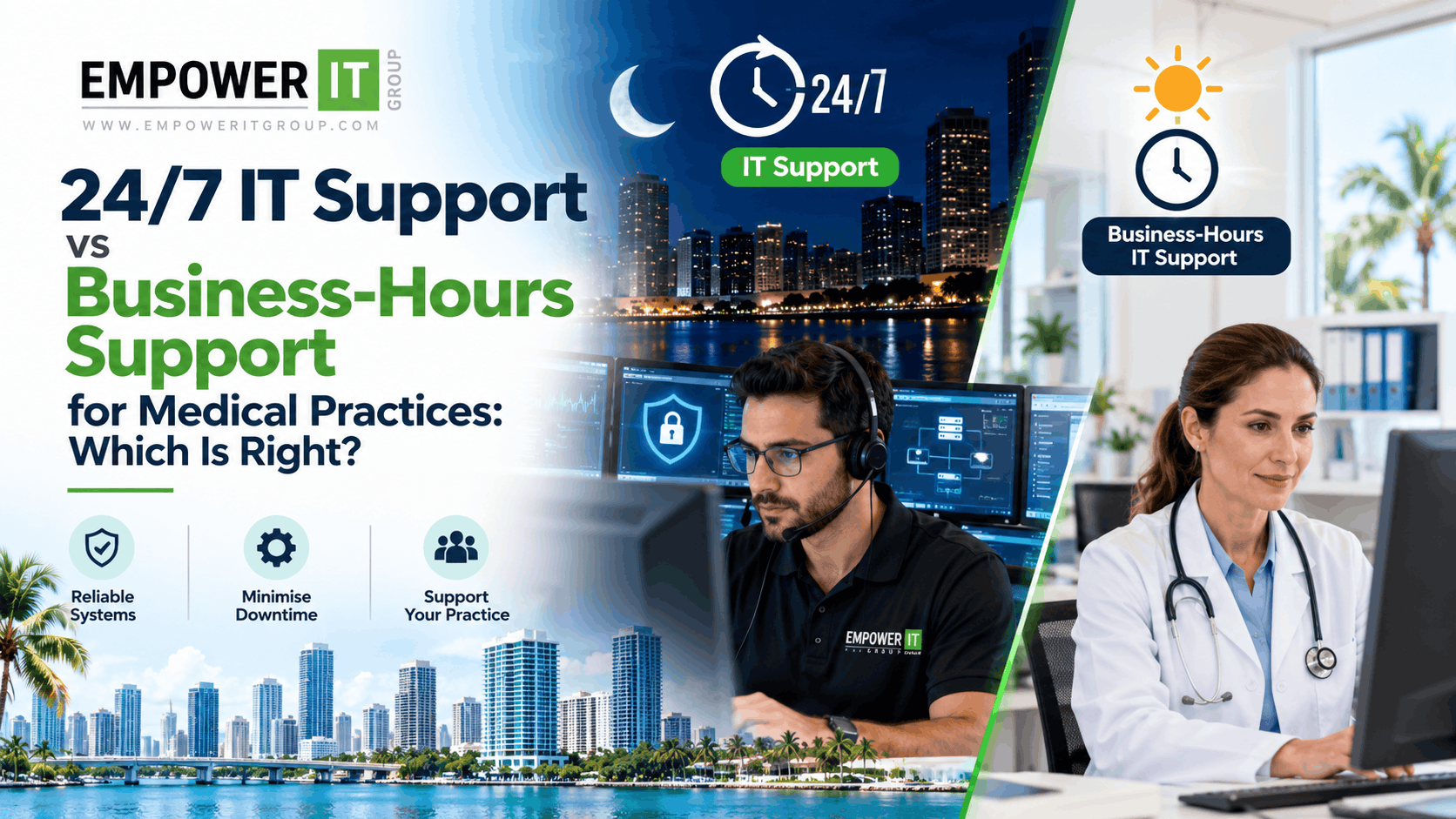
Medical practices rely on technology throughout the day to manage patient records, coordinate appointments, communicate with patients, process billing, and support clinical workflows. When a critical system becomes unavailable, the impact can extend beyond inconvenience to staff and affect the practice’s ability to deliver services efficiently.
For medical practices in Miami and South Florida, choosing the right IT support model is an important part of maintaining reliable operations and managing cybersecurity risks.
Some practices can operate effectively with business-hours IT support, while others need access to technical assistance outside normal working hours. The right decision depends on when the practice operates, which systems must remain available, how quickly technical incidents need attention, and what level of support the IT provider actually delivers.
Understanding the difference between 24/7 healthcare IT support and business-hours support can help practices select a service arrangement that meets their needs without paying for unnecessary coverage or leaving important gaps.
This guide explains how both models work, what medical practices should consider, and how to evaluate managed healthcare IT support before choosing a provider.
What Is 24/7 Healthcare IT Support?
24/7 healthcare IT support provides access to defined IT support services at any time, including evenings, weekends, and holidays. Depending on the agreement, it may include an after-hours help desk, critical incident response, infrastructure monitoring, security alert investigation, and technical escalation.
For medical practices, this can be useful when important systems must remain accessible beyond standard business hours or when an outage outside normal working hours could create significant operational consequences.
However, the term “24/7 support” can mean different things between providers. Some offer continuous monitoring but only limited after-hours technical assistance. Others provide an around-the-clock help desk, while complex issues may still require escalation to a specialist or software vendor.
Before choosing this service, medical practices should establish exactly what is covered.
A comprehensive agreement should clarify:
- Whether employees can contact support at any time.
- Which incidents qualify as emergencies.
- Whether support is provided remotely, onsite, or through a combination of both.
- What response targets apply to critical incidents.
- Whether cybersecurity alerts are monitored outside business hours.
- Which systems and applications are covered.
- Whether after-hours work incurs additional charges.
24/7 support should mean clearly defined availability and escalation—not an assumption that every issue will be resolved immediately.
What Is Business-Hours IT Support?
Business-hours IT support provides assistance during specified working hours, such as weekdays during the practice’s normal operating schedule.
Employees can contact the IT provider during those hours to report technical problems, request assistance, and arrange maintenance. Issues reported outside the agreed schedule may be handled the next business day unless an emergency service is available separately.
This model may be suitable for medical practices that operate primarily during standard office hours, have limited after-hours technology dependencies, and can tolerate certain noncritical issues being addressed on the next business day.
Business-hours support can also be a practical option when a practice has reliable contingency procedures and separately arranged security monitoring or emergency escalation.
However, practices should not assume that business-hours support automatically includes continuous monitoring, security incident response, backup monitoring, or emergency recovery. These services need to be confirmed in the agreement.
24/7 IT Support vs Business-Hours Support: Key Differences
| Factor | 24/7 Healthcare IT Support | Business-Hours IT Support |
| Support availability | Access to agreed support services around the clock | Support during defined working hours |
| After-hours incidents | Covered according to the service agreement | May wait until the next business day unless separately covered |
| Critical system outages | May receive after-hours escalation | Depends on emergency provisions |
| Cybersecurity monitoring | May include continuous monitoring or alert response | Continuous monitoring may need to be arranged separately |
| Operational suitability | Useful for practices with extended hours or critical after-hours dependencies | Often suitable for practices operating mainly during standard hours |
| Staffing and coverage | May require broader staffing and escalation arrangements | Typically has a narrower support window |
| Cost | Often higher, depending on coverage and service scope | May be less expensive for limited support requirements |
| Emergency response | Depends on defined incident priorities and response commitments | May involve separate emergency fees or an external escalation service |
The main distinction is not simply whether a provider answers the phone at night. It is whether the practice can access the right level of technical response when a significant problem occurs.
When Does a Medical Practice Need 24/7 IT Support?
Not every medical practice needs full round-the-clock IT assistance. However, several operational conditions may make extended support particularly valuable.
1. Your Practice Operates Outside Standard Business Hours
Practices that provide evening consultations, weekend appointments, extended-hours services, or other after-hours healthcare activities may need access to IT support beyond a standard weekday schedule.
If employees depend on clinical applications, secure connectivity, or digital communication systems during those periods, an outage may interrupt planned work.
For example, a connectivity issue could prevent staff from accessing a cloud-based patient management system. If the issue occurs late in the evening and no support is available until the next morning, the disruption may continue longer than necessary.
A practice with extended operating hours should compare its actual schedule with the IT provider’s support window.
2. Your Operations Depend on Critical Systems
Some systems are particularly important to the practice’s operations. These may include EHR or EMR applications, identity and access systems, network infrastructure, secure remote access, and essential communication platforms.
If a system becomes unavailable, staff may be unable to complete important tasks or retrieve information needed for their work.
The practice should identify which systems are essential, how long each can remain unavailable, and what procedures are available if a failure occurs.
Where an interruption outside normal hours could have a significant impact, 24/7 support or a clearly defined emergency escalation arrangement may be appropriate.
3. Your Practice Has Significant Cybersecurity Risks
Cybersecurity incidents can occur outside ordinary working hours. A suspicious login, compromised account, malware alert, or other security event may require investigation even when the office is closed.
Medical practices should understand who receives security alerts, how those alerts are prioritised, and who is authorised to take action.
Round-the-clock IT support may help with incident escalation and technical response, but it should not be confused with a dedicated security operations centre or a managed detection and response service.
If continuous security monitoring is important to the practice, confirm whether the provider offers it, what systems are covered, whether alerts are investigated by people or automated tools, and how containment and escalation are handled.
4. Your Practice Has Multiple Locations or Distributed Teams
A healthcare organisation operating multiple offices may have different support requirements from a single-location practice.
An issue affecting a shared network, central application, authentication service, or cloud platform could affect employees at several locations.
Similarly, remote staff may need access to systems outside standard office hours.
An IT support arrangement should account for these dependencies, including how incidents affecting multiple locations are prioritised and communicated.
Round-the-clock coverage may be useful when the organisation’s actual operating model requires it, but the decision should be based on the systems and workflows involved rather than the number of locations alone.
5. Your Practice Has Limited Internal IT Coverage
Some medical practices do not have dedicated IT staff available to investigate problems or coordinate recovery outside normal business hours.
If a serious incident occurs overnight or during a weekend, the practice may have to wait until an internal employee or external provider becomes available.
A managed IT agreement with after-hours escalation can provide a defined route for reporting and handling covered incidents.
Before signing, confirm who is contacted, what actions the provider can take, and which decisions require approval from the practice.
Also Read More – What Does an MSP Do for a Medical Practice? Complete Healthcare IT Guide
When Is Business-Hours IT Support Enough?
Business-hours support can be suitable when a medical practice has a predictable operating schedule and can manage certain technical issues until the next working day.
Consider this model if the following conditions apply.
Your Practice Operates Mainly During Standard Hours
If consultations and administrative activities take place during defined weekday hours, support aligned with that schedule may meet many routine needs.
The practice should still consider whether essential systems require monitoring or emergency response outside those hours.
Most After-Hours Issues Are Noncritical
Some issues can reasonably wait until the next business day. Examples might include a nonessential workstation problem, a routine software request, or a minor issue affecting a system that is not required overnight.
However, the practice should define what qualifies as noncritical and maintain a process for escalating incidents that could affect sensitive information or essential operations.
You Have Appropriate Backup and Contingency Arrangements
A practice may be able to operate with business-hours support if it has tested recovery arrangements, documented procedures for technology disruptions, and an agreed escalation path for serious incidents.
These arrangements should reflect the practice’s actual needs rather than assumptions about how quickly systems can be restored.
Your IT Requirements Are Relatively Simple
A small practice with a limited number of systems, straightforward workflows, and appropriate security arrangements may not need comprehensive 24/7 technical support.
However, a small practice can still have significant cybersecurity or continuity risks. The decision should be based on operational impact and risk, not just the number of employees or devices.
24/7 IT Support Does Not Automatically Mean 24/7 Cybersecurity Protection
This distinction is particularly important for healthcare organisations.
An IT provider may offer a 24/7 help desk without continuously investigating cybersecurity alerts. Another provider may monitor security systems around the clock but offer limited general technical support after hours.
These are different services.
Medical practices should evaluate at least three separate areas of coverage.
| Service | What it means | What to confirm |
| 24/7 help desk | Employees can request technical assistance at any time | Which issues are covered and whether emergency charges apply |
| 24/7 infrastructure monitoring | Supported systems are monitored for specified availability or performance problems | Which devices and systems are monitored and what happens when an alert occurs |
| 24/7 security monitoring | Security events are monitored and handled according to defined procedures | Who investigates alerts, how incidents are escalated, and which response actions are included |
A practice may need one, two, or all three, depending on its technology environment and risk profile.
For example, a practice that operates during standard hours might still need continuous security monitoring because a compromised account could be used while the office is closed.
Similarly, a provider that monitors infrastructure around the clock may not be contracted to restore every failed application or provide onsite assistance at any hour.
Always review the actual service description rather than relying on the provider’s headline offering.
How HIPAA Considerations Affect Your IT Support Decision
Medical practices that are subject to HIPAA must meet applicable requirements for protecting electronic protected health information (ePHI).
The HIPAA Security Rule requires covered entities and relevant business associates to implement appropriate safeguards and manage risks to the confidentiality, integrity, and availability of ePHI.
However, HIPAA does not establish a universal requirement that every medical practice purchase 24/7 IT support.
The appropriate support model depends on the practice’s circumstances, risk analysis, technology environment, and obligations.
A practice should consider whether its support arrangement allows it to manage foreseeable risks and respond appropriately to relevant incidents. This includes understanding who monitors systems, who receives alerts, how incidents are escalated, and which responsibilities remain with the practice.
Round-the-clock support may help some organisations implement their security and continuity plans, but it does not by itself establish HIPAA compliance.
For official guidance, consult the US Department of Health and Human Services
How to Choose the Right Support Model for Your Medical Practice
Before choosing 24/7 or business-hours support, assess your operating schedule, technology dependencies, and recovery requirements.
Step 1: Identify Your Essential Systems
List the systems your practice relies on, such as EHR or EMR platforms, network infrastructure, email, identity services, backups, and secure remote access.
For each system, determine the operational consequences if it becomes unavailable.
Step 2: Establish Acceptable Downtime
Consider how long your practice can reasonably operate without each essential system.
A system used for routine administration may have different recovery requirements from a system needed throughout active clinical operations.
Define practical recovery objectives and identify temporary procedures for continuing work when technology is unavailable.
Step 3: Review Your Current Incident History
Examine the previous six to twelve months of technical issues, where records are available.
Look for recurring outages, after-hours problems, security alerts, unresolved incidents, and situations in which employees had to wait for support.
The pattern of incidents can help determine whether extended coverage is likely to provide meaningful value.
Step 4: Review Security and Backup Arrangements
Confirm whether security monitoring, backup management, recovery testing, and incident response are included in your existing IT arrangement.
If these activities are handled by separate providers, document how they coordinate and who is responsible for acting on alerts outside business hours.
Step 5: Compare Service Agreements
Request proposals for business-hours support and 24/7 coverage where available.
Compare the support window, response targets, incident priorities, monitoring services, onsite assistance, exclusions, and additional charges.
A lower-cost plan may be appropriate if it covers your actual needs. A more comprehensive plan may be justified if it addresses important risks or operational dependencies.
Questions to Ask an IT Provider Before Signing an Agreement
When comparing managed healthcare IT support options in Miami, ask providers specific questions about availability and accountability.
- What are your standard support hours?
- Can employees contact support 24/7, including weekends and holidays?
- Which issues qualify as emergencies?
- What response targets apply to critical incidents?
- Does 24/7 coverage include technical resolution or only initial triage?
- Are cybersecurity alerts monitored and investigated outside business hours?
- Which infrastructure, devices, and applications are monitored?
- Do you provide onsite support after hours, or is it remote only?
- How do you escalate incidents involving EHR or EMR vendors?
- Are after-hours services included in the recurring fee?
- What are the limitations of your backup and recovery services?
- How will the practice be informed about incidents and service disruptions?
Ask the provider to document its answers in the proposal or service agreement. Clear expectations can help avoid misunderstandings during an emergency.
How Empower IT Group Can Support Medical Practices in Miami
Empower IT Group helps healthcare organisations evaluate their IT requirements and identify appropriate support arrangements for technology management, cybersecurity, and system reliability.
For medical practices in Miami and South Florida, the right support model should reflect actual operating hours, essential systems, security requirements, and the consequences of downtime.
An IT assessment can help identify which systems require ongoing monitoring, which incidents need rapid escalation, and whether business-hours or extended support is appropriate. It can also help clarify backup responsibilities, access management, and coordination with clinical software vendors.
The services available depend on the agreed scope. Medical practices should confirm whether a proposed plan includes 24/7 help desk access, infrastructure monitoring, cybersecurity alert response, emergency remediation, or onsite support.
Empower IT Group can help practices evaluate these requirements and develop a more structured approach to healthcare IT support.
Conclusion
Choosing between 24/7 healthcare IT support and business-hours support requires a clear understanding of how your medical practice operates and which systems it depends on.
Business-hours support may be sufficient for practices with predictable schedules and appropriate contingency arrangements. Practices with extended operating hours, critical after-hours dependencies, or a need for rapid incident escalation may benefit from round-the-clock support.
It is equally important to distinguish between a 24/7 help desk, continuous infrastructure monitoring, and 24/7 cybersecurity monitoring. Each serves a different purpose and may be offered under a separate service agreement.
For medical practices in Miami and South Florida, the best approach is to evaluate system criticality, acceptable downtime, incident history, and security responsibilities before choosing a plan.
Empower IT Group can help your medical practice evaluate its healthcare IT support requirements and identify an appropriate support model for your systems, operations, and security needs.
Frequently Asked Questions
1. Do all medical practices need 24/7 healthcare IT support?
No. The appropriate model depends on operating hours, critical system dependencies, cybersecurity risks, and recovery requirements. A practice operating mainly during standard business hours may find business-hours support suitable, provided it has appropriate arrangements for security monitoring and serious incidents.
2. What is included in 24/7 healthcare IT support?
Depending on the agreement, it may include an around-the-clock help desk, critical incident escalation, infrastructure monitoring, remote troubleshooting, and certain emergency response services. Continuous cybersecurity monitoring may be a separate service, so practices should confirm the exact coverage.
3. Is business-hours IT support sufficient for a small medical practice?
It can be sufficient when the practice has predictable operating hours, manageable technology requirements, and appropriate backup and security arrangements. Small practices should still assess the impact of after-hours outages and establish a way to handle serious incidents.
4. Does HIPAA require 24/7 IT support?
HIPAA does not impose a universal requirement for every medical practice to purchase 24/7 IT support. Covered entities and relevant business associates must meet applicable Security Rule requirements, including managing risks to ePHI. The support arrangement should be appropriate to the organisation’s circumstances and responsibilities.
5. Is 24/7 IT support the same as 24/7 cybersecurity monitoring?
No. A 24/7 help desk handles technical requests according to its service scope. Cybersecurity monitoring involves detecting and assessing security events, with investigation and response depending on the service. A practice should confirm whether both are included.
6. How much does 24/7 healthcare IT support cost?
Pricing depends on the number of users and devices, system complexity, monitoring requirements, response commitments, onsite coverage, and included security services. Request a detailed proposal that identifies recurring fees, additional charges, and exclusions.
7. What happens if a critical system fails outside business hours?
The outcome depends on the support agreement and the practice’s contingency plan. With an appropriate after-hours arrangement, staff may be able to contact support and escalate the incident. The practice should know who is responsible for recovery and what temporary procedures to follow.
8. Can a medical practice use business-hours IT support and still have 24/7 security monitoring?
Yes. These services can be arranged separately. A practice may use business-hours general IT support while engaging a service that monitors specified security systems around the clock. The parties should document how alerts are escalated and who is authorised to respond.
9. Should EHR systems have after-hours IT support?
The decision depends on the practice’s operating schedule, system dependencies, and recovery requirements. If an EHR outage outside normal hours would significantly disrupt operations, an after-hours escalation arrangement may be appropriate. The practice should also establish whether its IT provider or EHR vendor handles application-specific issues.
10. How often should a medical practice review its IT support agreement?
Review the agreement periodically and whenever operating hours, systems, locations, security risks, or business requirements change significantly. The review should confirm that the support window, service scope, response targets, and escalation procedures still meet the practice’s needs.